



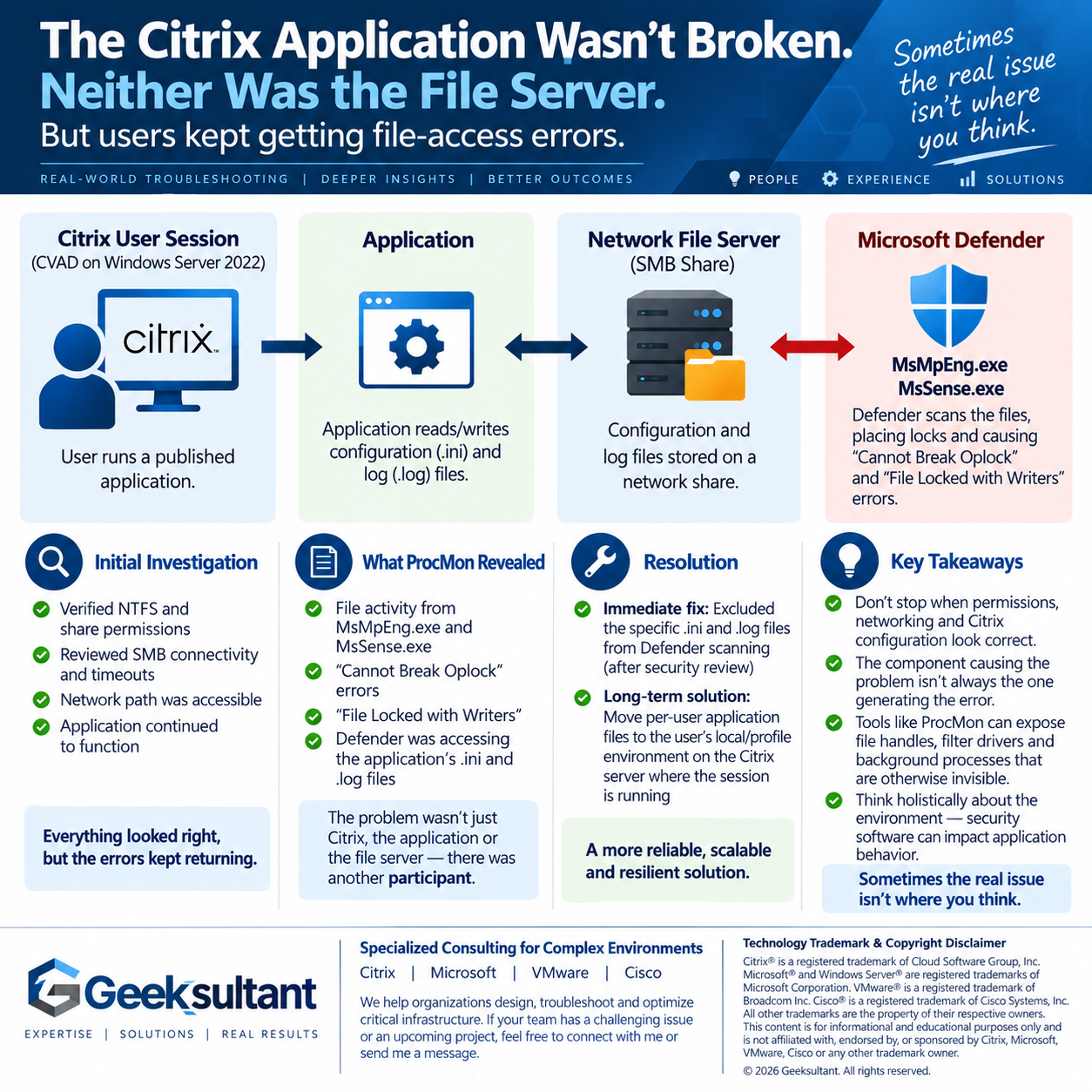
The Citrix application wasn't broken. Neither was the file server.
But users kept getting file-access errors.
We recently worked through an interesting issue in a Citrix CVAD environment running on Windows Server 2022.
Users of a published application were intermittently receiving errors while the application accessed configuration and log files on a network share. They
could click OK and continue working, but eventually the error would return.
At first glance, it looked like a fairly typical permissions or SMB problem.
We verified NTFS and share permissions.
We reviewed SMB connectivity and timeouts.
The network path was accessible.
The application continued to function.
Everything looked right.
So we went deeper.
Using Microsoft Process Monitor (ProcMon), we were able to see what was actually happening at the file level.
The interesting entries weren't coming from the application.
They were coming from Microsoft Defender.
Processes including MsMpEng.exe and MsSense.exe were accessing the application's .ini and
.log
That changed the direction of the investigation completely.
The problem wasn't simply:Citrix → Application → File Server
There was another participant:
Citrix → Application → File Server ← Microsoft Defender
As an immediate remediation, the appropriate application .ini and .log files were excluded from scanning after
evaluating the security implications.
But the longer-term solution is better architecture.
We're moving those per-user application files away from the shared network location and into the user's local/profile environment on the Citrix server
where the session is running.
The takeaway?
When troubleshooting Citrix application problems, don't stop when permissions, networking and Citrix configuration all look correct.
Sometimes the component causing the problem isn't the component generating the error.
Tools like ProcMon can expose file handles, filter drivers, security software and background processes that would otherwise be nearly invisible during troubleshooting.
That's often where the answer is hiding.
We specialize in troubleshooting and designing complex Citrix, Microsoft,
VMware and Cisco infrastructure environments. If your team has an infrastructure problem that's proving difficult to isolate—or needs specialized expertise for
an upcoming project—feel free to connect with me or send me a message.
#Citrix #CitrixCVAD #Microsoft #WindowsServer #MicrosoftDefender
#ITInfrastructure #Virtualization #Troubleshooting #ProfessionalServices
- Log in to post comments
- 6 reads